• Gpy multipack getting started

    GPy firmware expansion board
    3
    0 Votes
    3 Posts
    638 Views
    T
    @seb ok. good to know :)
  • Expansion Board 3.0

    Announcements & News expansion board webshop
    3
    0 Votes
    3 Posts
    735 Views
    robert-hhR
    @seb Thanks. So it is just the web shop page that is wrong.
  • FiPy Schematics

    FiPy schematics fipy expansion board
    13
    0 Votes
    13 Posts
    2k Views
    R
    @nazz Here click me (scrol down a little) you can see the pictures of testing lab where you can see the pins for these pads. This presents GPy which have different pads placement, but gives you an idea.
  • Lipo Battery Charger

    Comments & Feedback expansion board lopy lipo battery
    5
    0 Votes
    5 Posts
    1k Views
    sebS
    @mj Any single cell lipo with a JST-PH connector. Be careful of the polarity of the connector, there doesn't seem to be a standard so you may need to swap the connector wires around before plugging it in.
  • 0 Votes
    2 Posts
    707 Views
    L
    @rachelsimida this is to fast to read it in this way look at pulses_get https://docs.pycom.io/chapter/firmwareapi/pycom/pycom.html#pycompulsesgetpin-timeout sometimes is also good to dissable irq remember = disable_irq() .... enable_irq(remember)
  • 3 Votes
    4 Posts
    1k Views
    V
    @semireg Can we buy one?
  • 0 Votes
    11 Posts
    5k Views
    C
    This error statement TypeError: 'module' object is not callable is raised as you are being confused about the Class name and Module name. The problem is in the import line . You are importing a module, not a class. This happend because the module name and class name have the same name . If you have a class "MyClass" in a file called "MyClass.py" , then you should import : from MyClass import MyClass In Python , a script is a module, whose name is determined by the filename . So when you start out your file MyClass.py with import MyClass you are creating a loop in the module structure. In Python, everything (including functions, methods, modules, classes etc.) is an object , and methods are just attributes like every others. So,there's no separate namespaces for methods. So when you set an instance attribute, it shadows the class attribute by the same name. The obvious solution is to give attributes different names.

  • 0 Votes
    6 Posts
    1k Views
    John BairdJ
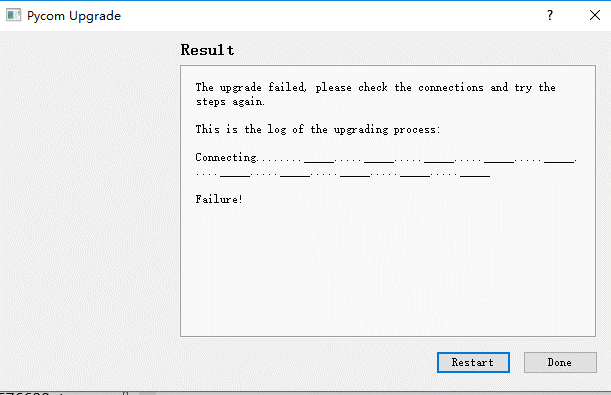
    I just struggled through getting the Expansion Board V3.0r to support updating a fipy and had similar issues. In the end it required a manual jumper between P2 and GND (even though the board is supposed handle this automatically) and turning off the high-speed and Pysense options. Having said that, the first one I upgraded I used an external USB to serial interface and it worked first time.
  • 0 Votes
    13 Posts
    2k Views
    robert-hhR
    @formica does any other ampy action work, like 'ls' or 'ls /flash'? and the usual brute force hammer on linux, running it with sudo?
  • Connect sensors to pytrack

    Comments & Feedback expansion board
    2
    0 Votes
    2 Posts
    587 Views
    J
    @robmarkcole there are a few “holes” for I/O under the module, but you’ll need to solder connectors.
  • Expansion board

    Expansion Board deep sleep expansion board lopy
    5
    1
    0 Votes
    5 Posts
    914 Views
    R
    @jmarcelino Thanks
  • 0 Votes
    2 Posts
    564 Views
    X
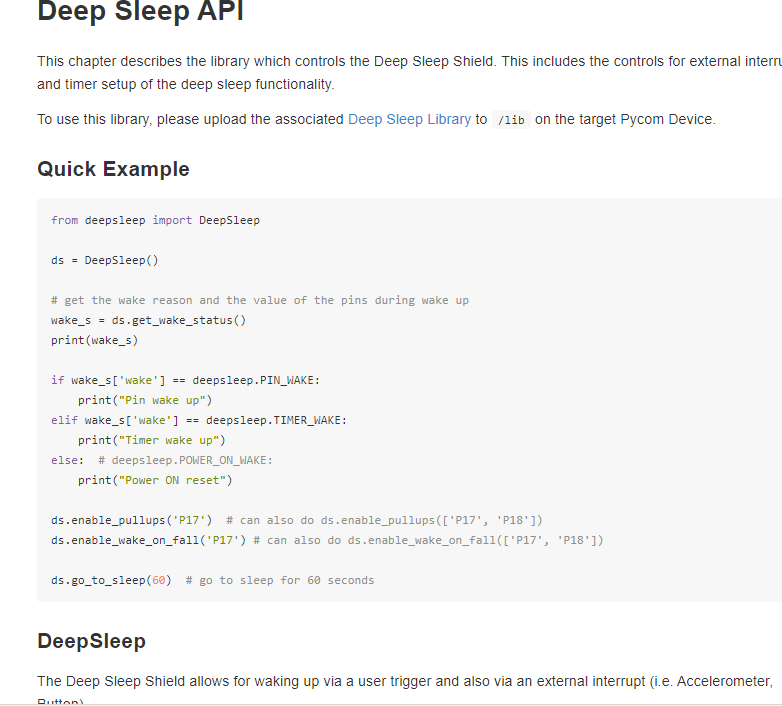
    @lj We are not aware of any issues with the deep sleep shield. Could you please either post the code you are testing or email support@pycom.io ?
  • 1 Votes
    11 Posts
    2k Views
    sebS
    @stefan85e That is correct, the 1.17.0.b1 upgrade is for the LoPy. You do not need to ever upgrade firmware for the expansion board 2
  • 0 Votes
    17 Posts
    4k Views
    R
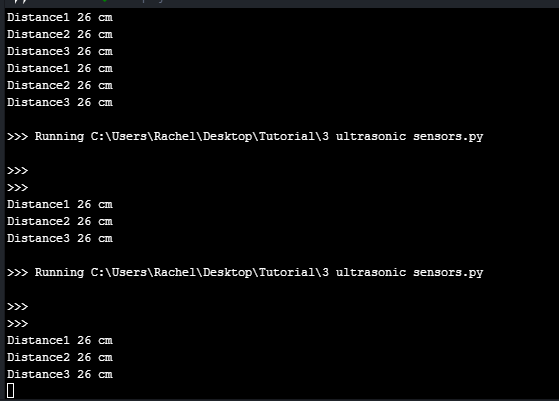
    @ambropete import binascii import pycom import socket import time import ujson # put that into the import section from network import LoRa from machine import Pin, Timer echo = Pin(Pin.exp_board.G7, mode=Pin.IN) trigger = Pin(Pin.exp_board.G8, mode=Pin.OUT) # Colors off = 0x000000 red = 0xff0000 green = 0x00ff00 blue = 0x0000ff # Turn off hearbeat LED pycom.heartbeat(False) # Initialize LoRaWAN radio lora = LoRa(mode=LoRa.LORAWAN) # Set network keys app_key = binascii.unhexlify('11 22 33 44 55 66 77 88 99 00 11 22 33 44 55 65'.replace(' ','')) app_eui = binascii.unhexlify('00 00 00 00 00 00 00 00'.replace(' ','')) # Join the network lora.join(activation=LoRa.OTAA, auth=(app_eui, app_key), timeout=0) pycom.rgbled(red) # Loop until joined while not lora.has_joined(): print('Not joined yet...') pycom.rgbled(off) time.sleep(0.1) pycom.rgbled(red) time.sleep(2) print('Joined') pycom.rgbled(blue) s = socket.socket(socket.AF_LORA, socket.SOCK_RAW) s.setsockopt(socket.SOL_LORA, socket.SO_DR, 5) s.setblocking(True) trigger(0) chrono = Timer.Chrono() while True: chrono.reset() trigger(1) time.sleep_us(10) trigger(0) while echo() == 0: pass chrono.start() while echo() == 1: pass chrono.stop() distance = chrono.read_us() / 58.0 s.send(str(distance).encode()) pycom.rgbled(green) time.sleep(0.5) pycom.rgbled(blue) time.sleep(0.5) print("Distance {:.0f} cm".format(distance)) time.sleep(5)
  • 0 Votes
    9 Posts
    2k Views
    O
    @seb First I want to thank you for your help - you have helped me resolve the board detection issue. I understand try/except is the "python way" but as a developer with a much more structured background I was hoping for a solution that might be more robust so as not to encounter issues in the future as the interface or hardware might change. I really do appreciate your time and effort and I understand this is likely the best solution for now.
  • New Expansion Board

    Expansion Board expansion board
    2
    1 Votes
    2 Posts
    659 Views
    sebS
    I believe is is being worked on as we speak. I cannot provide any specific details unfortunately.
  • 0 Votes
    8 Posts
    2k Views
    J
    @justin-binda the low side is the signal pin on the 3.3V side (the ESP32 / Pycom module), the high side is signal pin on the 5V side (the sensor). I think that sensor actually has two signal pins, one for trigger (MCU -> sensor) and the other for echo (sensor -> MCU) so you would need two level shifters.
  • 0 Votes
    4 Posts
    1k Views
    sebS
    @jonasde On the bottom of your Pysense board you will find a 5x2 header you can solder to (see: https://docs.pycom.io/chapter/datasheets/downloads/pysense-pinout.pdf) When I connected it I used P8 and P4 which are availble on pins 9 and 10 of the external header. You will also need to connect to GND and 3V3_Sensor to the modules GND and Vdd pins.